Little Storms Premium
Keep the log together, for every child
Everything in the free app, plus a shared log with your partner, a second child, deeper Patterns and ABC chart import.
Free for 14 days, with no card needed. Then £3.99 a month or £29.99 a year, if you'd like to keep it, with a 30-day money-back guarantee.
Free and Premium
What's included
| What you get | Free | Premium |
|---|---|---|
| In both | ||
| Rate each day and log stormsTriggers, what helped, where, how long, notes. | Included | Included |
| PatternsDay by day, time of day, triggers, what helps, sleep, Calm streaks. | Included | Included |
| Monthly summary emailHow the month went, on the 1st. | Included | Included |
| Web, iPhone and AndroidEncrypted, the same log on every device. | Included | Included |
| Premium adds | ||
| PDF summaryWith the charts, for your health visitor, GP or nursery. | Not included | Included |
| Import ABC chartsFrom Word, PDF, a spreadsheet, or a photo of a paper chart. | Not included | Included |
| More on PatternsWhen and where each trigger happens, what helps in detail, when storms cluster, and storms week by week and month by month. | Not included | Included |
| Day tagsCompare nursery, school or grandparents days with the rest. | Not included | Included |
| Share with your partnerOne log, both your phones. One Premium covers you both. | Not included | Included |
| A second childA separate log for each, and a Both tab to compare them. | Not included | Included |
| PriceTry Premium free for 14 days. | Free | £3.99 a month or £29.99 a year |
Premium in detail
How each part works
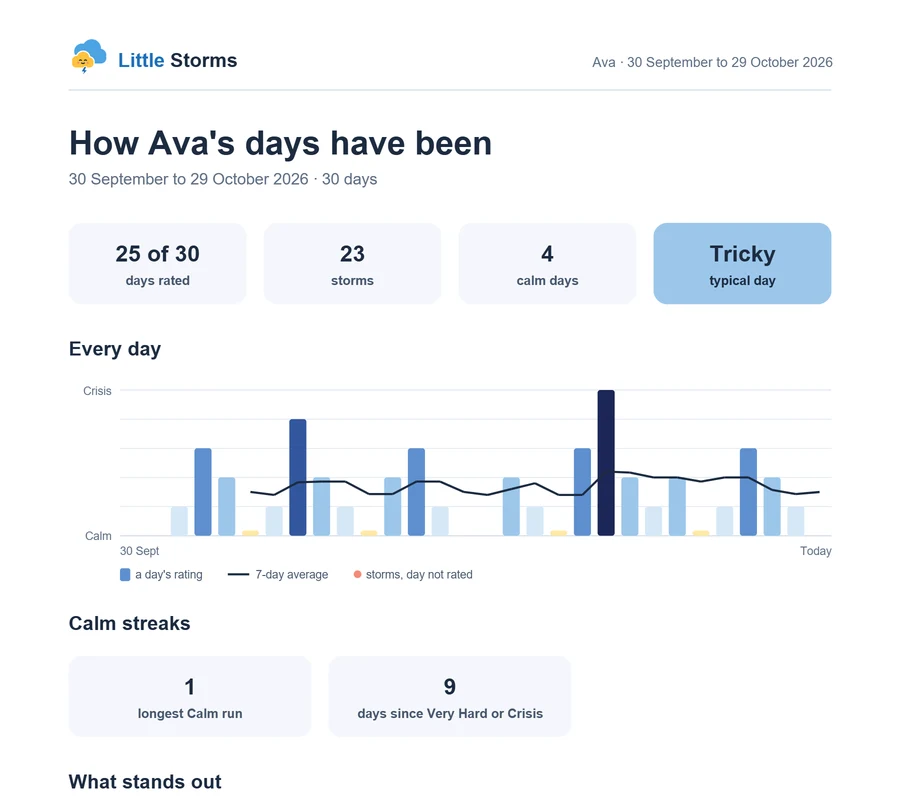
A PDF summary to share
Choose the last 30 days or 3 months, and download a PDF to print or bring to an appointment with your health visitor, GP or nursery.
It has how many days were rated, a chart of every day, Calm streaks, what stands out, the charts from Patterns (including your day tags), a calendar of each month, and every storm with what happened. You choose whether notes are included.
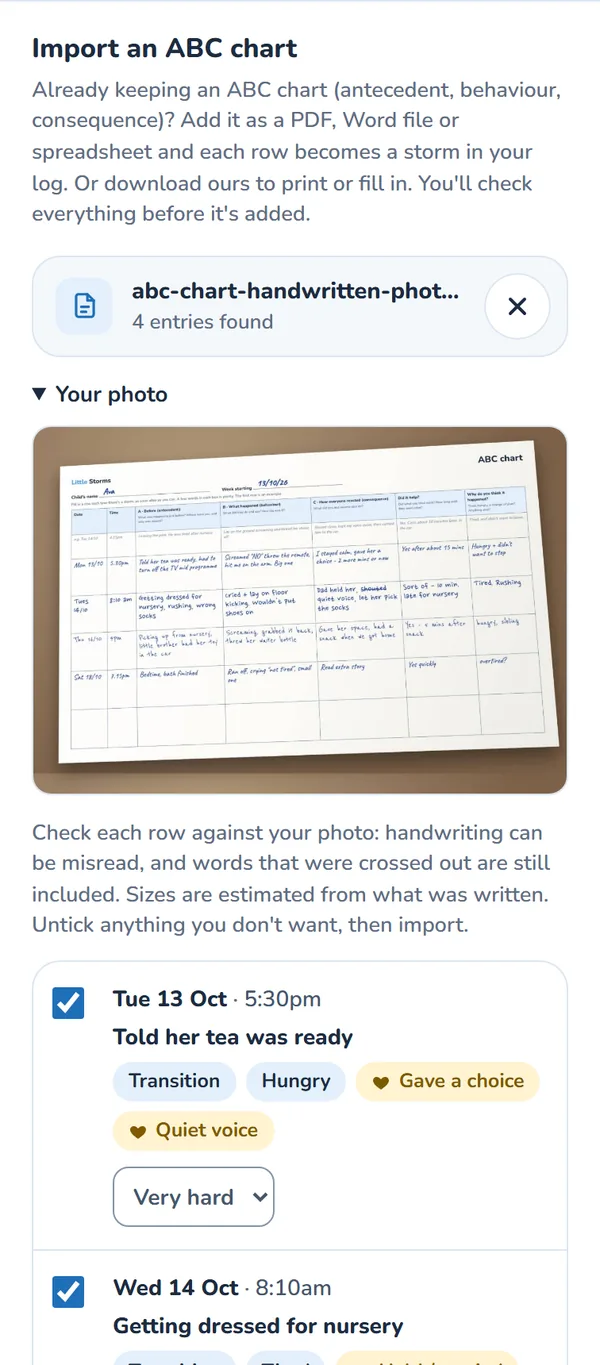
Import your ABC charts, even handwritten ones
Already keeping an ABC chart? Add it as a Word file, a typed PDF or a spreadsheet, like the NHS and Institute of Health Visiting charts, and each row becomes a storm for you to check.
Kept it on paper? Take a photo, and the rows are read for you, with your photo shown alongside so you can compare.
The photo is read by Microsoft Azure in the UK and deleted within a day. See our privacy policy.
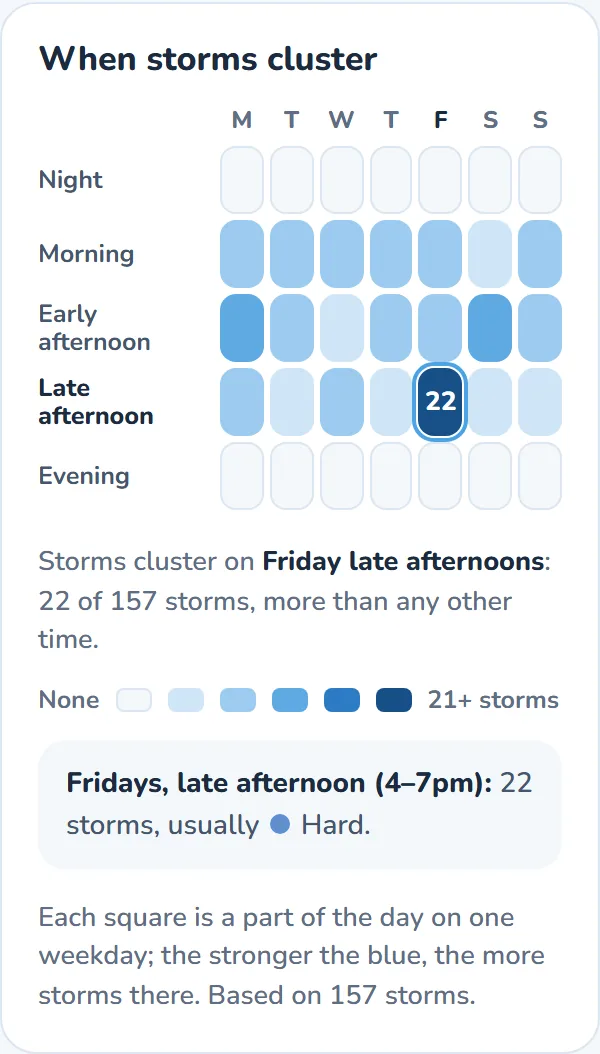
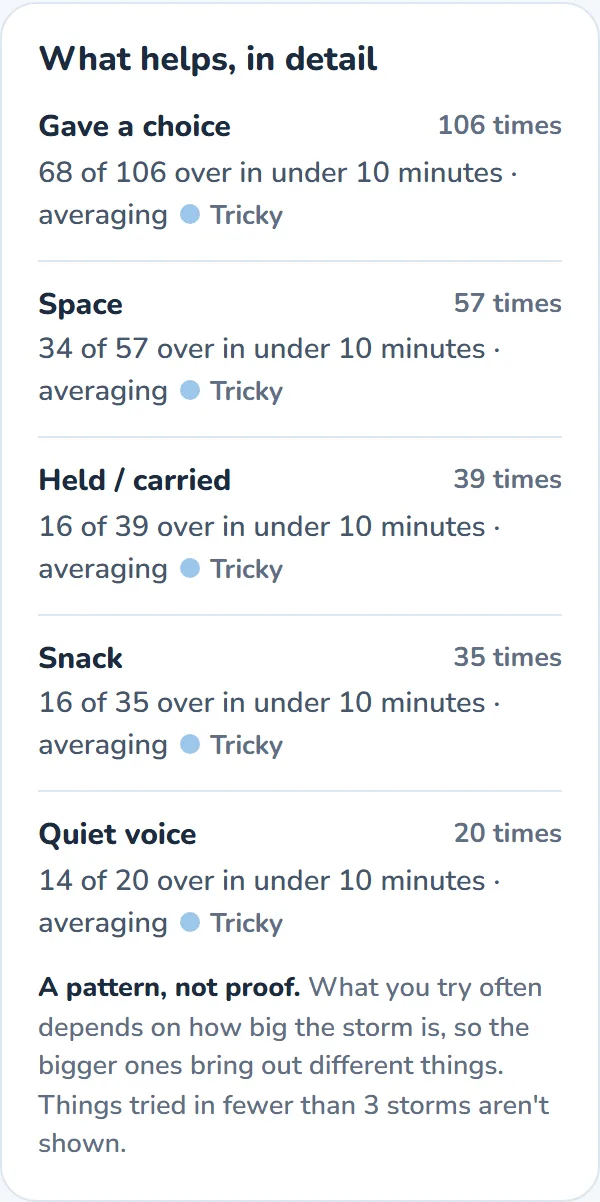
More on Patterns
Premium adds a When and where triggers happen card to Patterns: for each trigger, the time of day and the place its storms mostly happen, like transitions at nursery pick-up. What stands out tells you when one trigger keeps happening in the same place.
What helps, in detail takes each thing you try, like giving a choice or some space, and shows how often those storms were over in under 10 minutes, and how big they were.
And When storms cluster shows each part of the day on each day of the week, shaded by how many storms happened then, so you can spot times like Friday late afternoons and plan around them.
See how far you've come
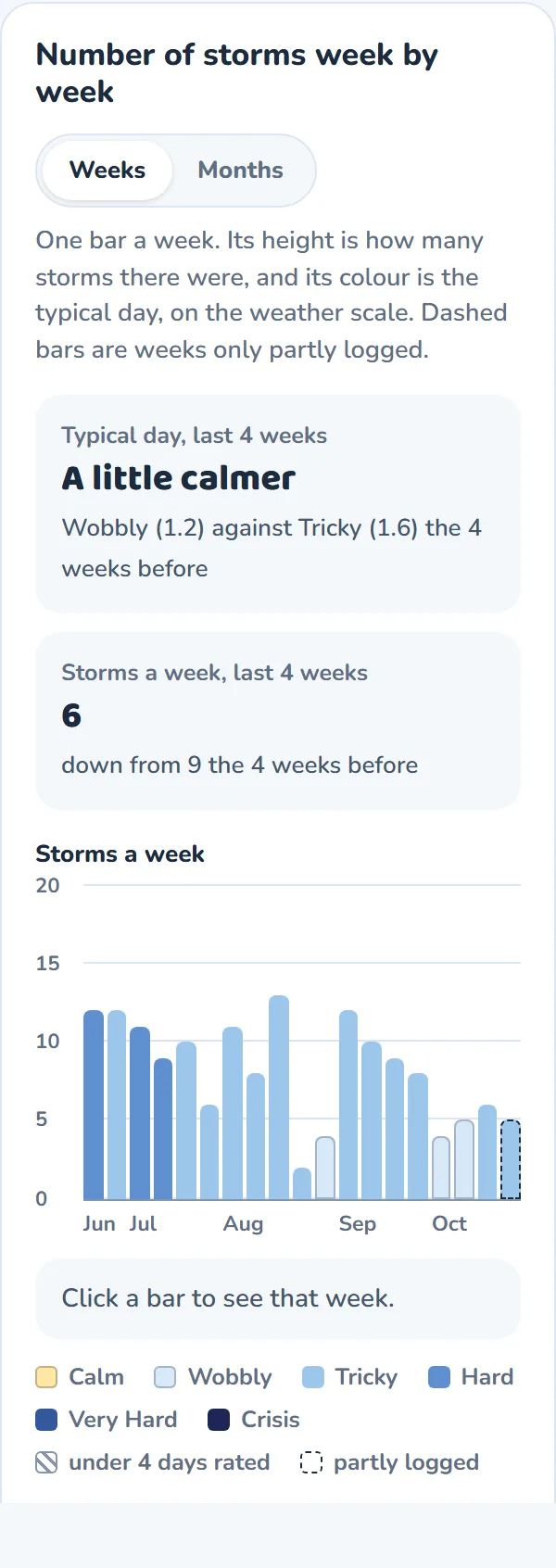
Number of storms week by week shows a bar for each week, as tall as the number of storms and coloured by the typical day. It says whether things are getting calmer than the weeks before, and how many storms a week there have been.
From 3 months, switch to month by month, for up to 2 years, and compare with the same months a year before. It's useful within the first fortnight, so you'll see it in your free trial.
Day tags
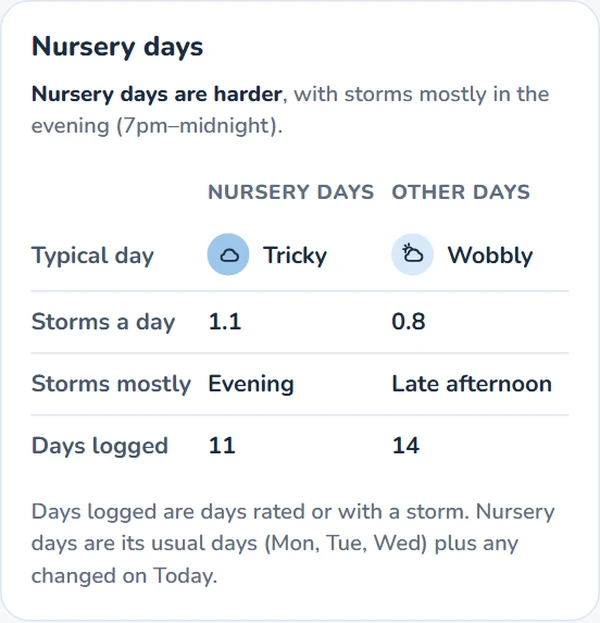
Tag the kind of day it is, like nursery, school or a day with grandparents, and Patterns compares those days with the others: the typical day, storms a day, and when they mostly land.
Pick the days each tag usually falls on, like nursery on Mondays, Wednesdays and Fridays, so you don't tag every day by hand. A day that's different, like a day off sick, is a tap on Today. Your day tags are in the PDF summary and the monthly email too.
Share the log with your partner
Whoever's with your child when a storm hits can log it, and you'll both see it. You each keep your own login, your own name and your own Day or Night setting.
- In Account, choose Create an invite link and send it to your partner.
- They open it and sign up or log in. Anything they've already logged is added in.
- From then on, you both see and add to the same log.
A log for each child
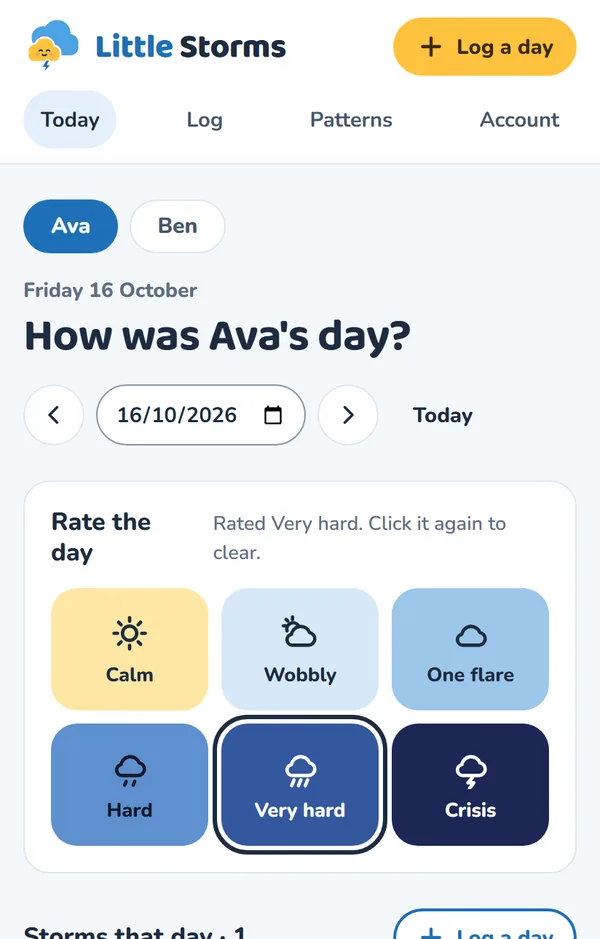
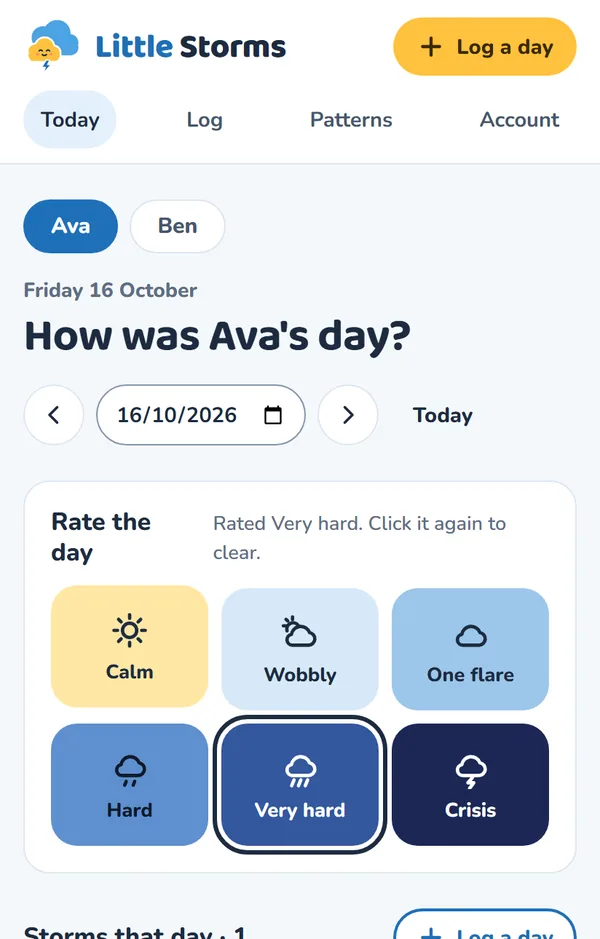
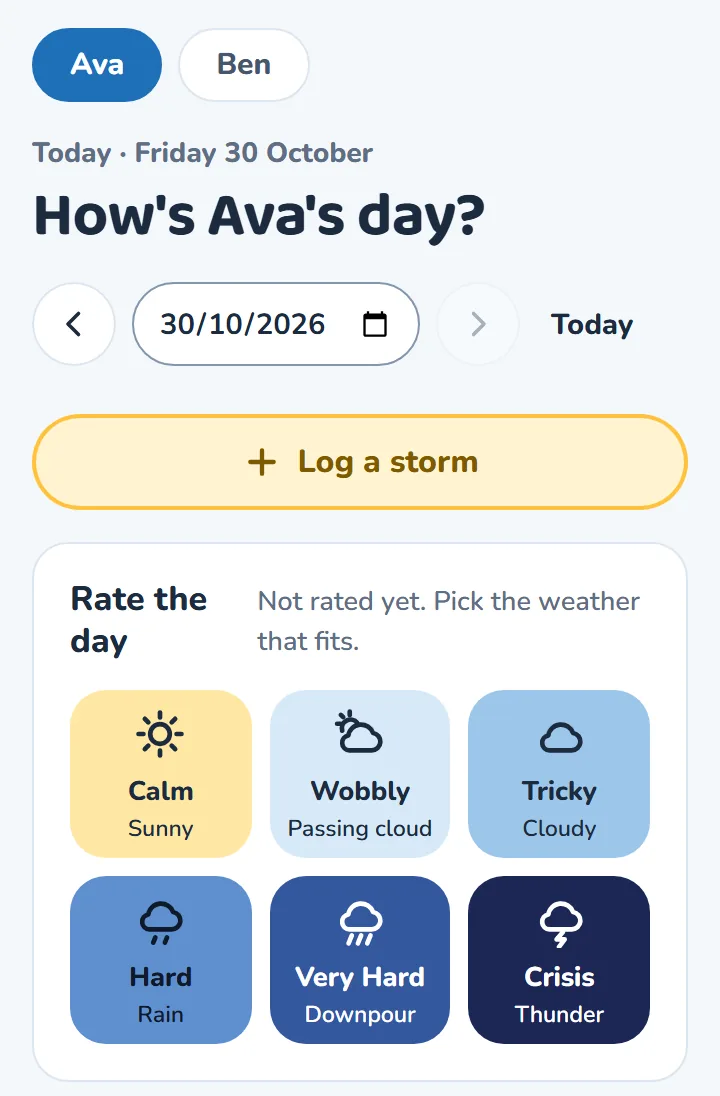
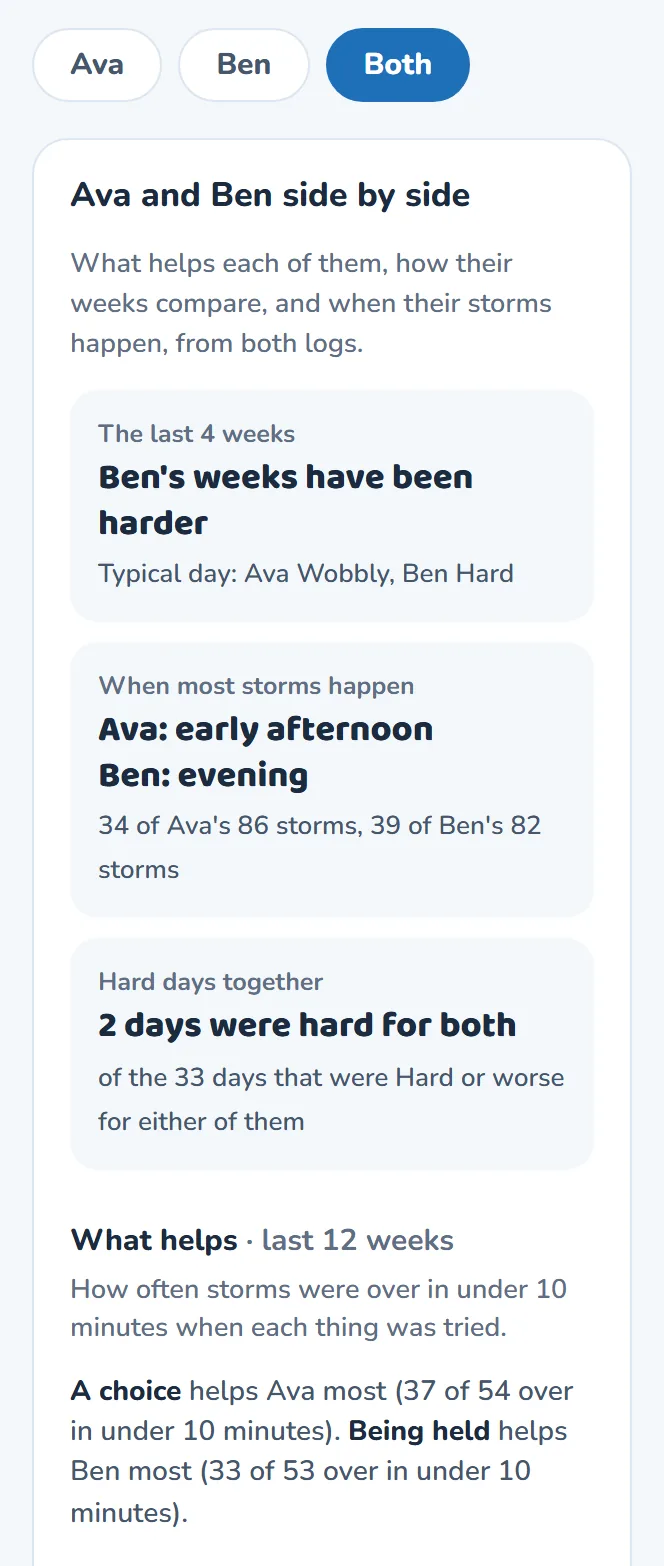
Add a second child and a tab for each appears at the top of Today, Log and Patterns. Everything you rate and log goes to the child you've picked, and their patterns are worked out separately. A Both tab on Patterns puts them side by side: what helps each of them, how their weeks compare, and when their storms happen.
Imports and PDF summaries ask which child they're for, and the monthly summary email comes for each child.
Questions
Frequently asked questions
How does the free trial work?
Start it from Account in the app. Every Premium feature is switched on for 14 days. There's no card to enter, and nothing to cancel.
What happens when it ends?
If you'd like to keep Premium, choose a plan in Account: £3.99 a month or £29.99 a year. If not, you go back to the free version, and nothing you've logged is deleted. If you added a second child, their log stays there to look at, but you can't add to it until you upgrade.
How do I pay?
From Account. On the website you pay by card through Stripe, a secure payment service, and if you choose a plan during your trial, you won't pay anything until it ends. In the Android app you pay through Google Play, and in the iPhone app through the App Store, which start your plan straight away. We never see your card details.
Can I cancel?
Yes, any time, from Account, then Manage your plan. If you pay through Google Play or the App Store, that opens your subscriptions there. Premium stays on until the end of the month or year you've paid for.
Does Premium work on all my devices?
Yes. Premium belongs to your Little Storms account, not to one phone. Pay on the website, on Android or on iPhone, and it's on wherever you log in.
What if it isn't for us?
Every plan comes with a 30-day money-back guarantee. If you ask within 30 days of your first payment, we'll refund it in full. Just email [email protected]. Plans bought in the iPhone app are refunded by Apple, at reportaproblem.apple.com. See our terms.
Does my partner need Premium too?
No. If you share your log with your partner, your Premium covers you both. If yours ends, theirs does too: they can still see the shared log, but can't add to it until one of you has Premium again.
Can my partner see everything?
Yes. You both see and add to the same log, notes included. Either of you can choose Stop sharing in Account: you each keep a copy of everything logged so far, and from then on you have separate logs.
How many children can I add?
Up to two, each with their own log and patterns.
Do I need Premium to use an ABC chart?
No. Anyone can download and fill in our free ABC chart. Premium is for importing a chart you've already kept, so each row becomes a storm in your log.
What happens to my log if I stop paying?
Nothing is deleted. You go back to the free version and keep logging as before. The Premium cards on Patterns are locked, and a second child's log or a shared log can be seen but not added to, until you upgrade again.
Can I have more than one trial?
Each account can have one free trial.